

PC上で PV Solar Dashboard のための互換性のあるAPKをダウンロードしてください
| ダウンロード | 開発者 | 評価 | スコア | 現在のバージョン | アダルトランキング |
|---|---|---|---|---|---|
| ↓ PC用のAPKをダウンロード | drillstars | 0 | 0 | 1.0.9 | 4+ |
3 つの簡単な手順で、コンピューターで PV Solar Dashboard.apk を使用する方法を説明します。
PV Solar Dashboard iTunes上で
| ダウンロード | 開発者 | 評価 | スコア | 現在のバージョン | アダルトランキング |
|---|---|---|---|---|---|
| ¥650 iTunes上で | drillstars | 0 | 0 | 1.0.9 | 4+ |
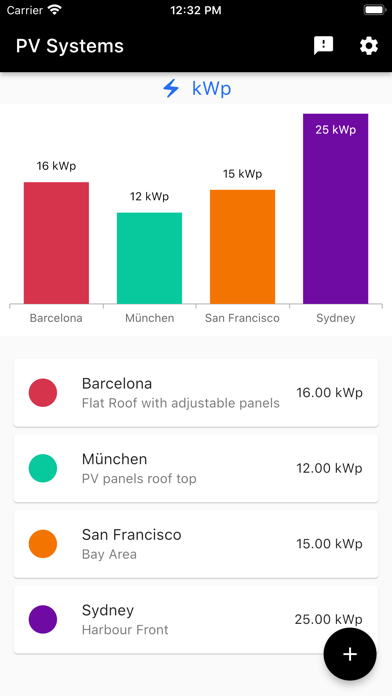
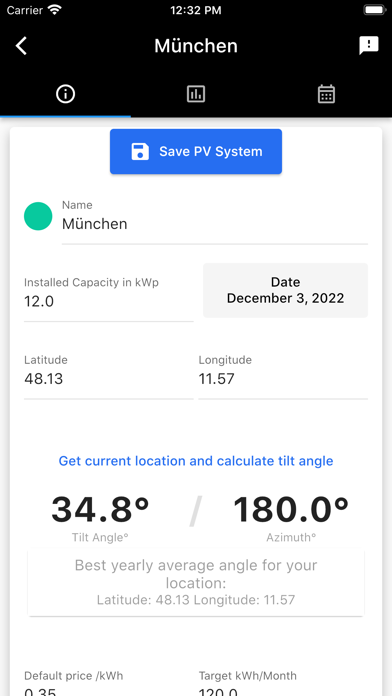
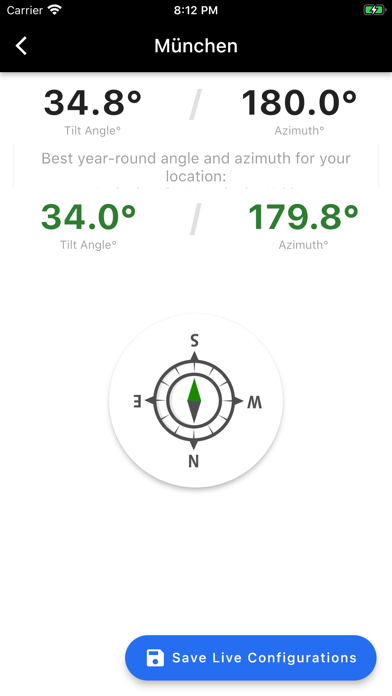
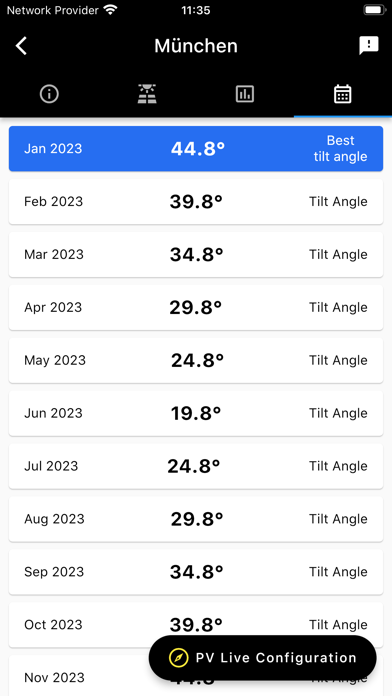
Manage your PV systems professionally and striving to generate optimum yield figures based on your desired location. With the PV solar dashboard you can make sustainable, reliable and affordable energy decisions. Yearly and monthly average values of photovoltaic electricity / power output by your PV system based on your installed capacity in kWp and your defined location. Optimal tilt angle of your PV modules and panels towards the equator. You can either select a fixed installation or get a monthly optimum tilt angle to adjust your photovoltaic system. Use it for designing, building, financing, and maintaining renewable photovoltaic solar installations, such as commercial utility plants, virtual plants, balcony power stations or RV setups. Calculate the optimum year-round and monthly tilt angle for your pv system in your location and get maximum electricity for your individual installations. Use your device to align your PV system to the calculated values. We show you the tilt and azimuth based on your real-time position and orientation.









